Invoices that get you paid.
The fast invoice, estimate, and receipt maker for contractors, freelancers, and small businesses — bill a client in about a minute.
| Description | Qty | Rate | Amount |
|---|---|---|---|
| Quarterly property maintenance | 1 | $950.00 | $950.00 |
| Landscape & grounds upkeep | 1 | $200.00 | $200.00 |
- No account
- Private on your iPhone
- No watermark
- Free templates & generator
- Estimate → invoice in a tap
See the app before you install.
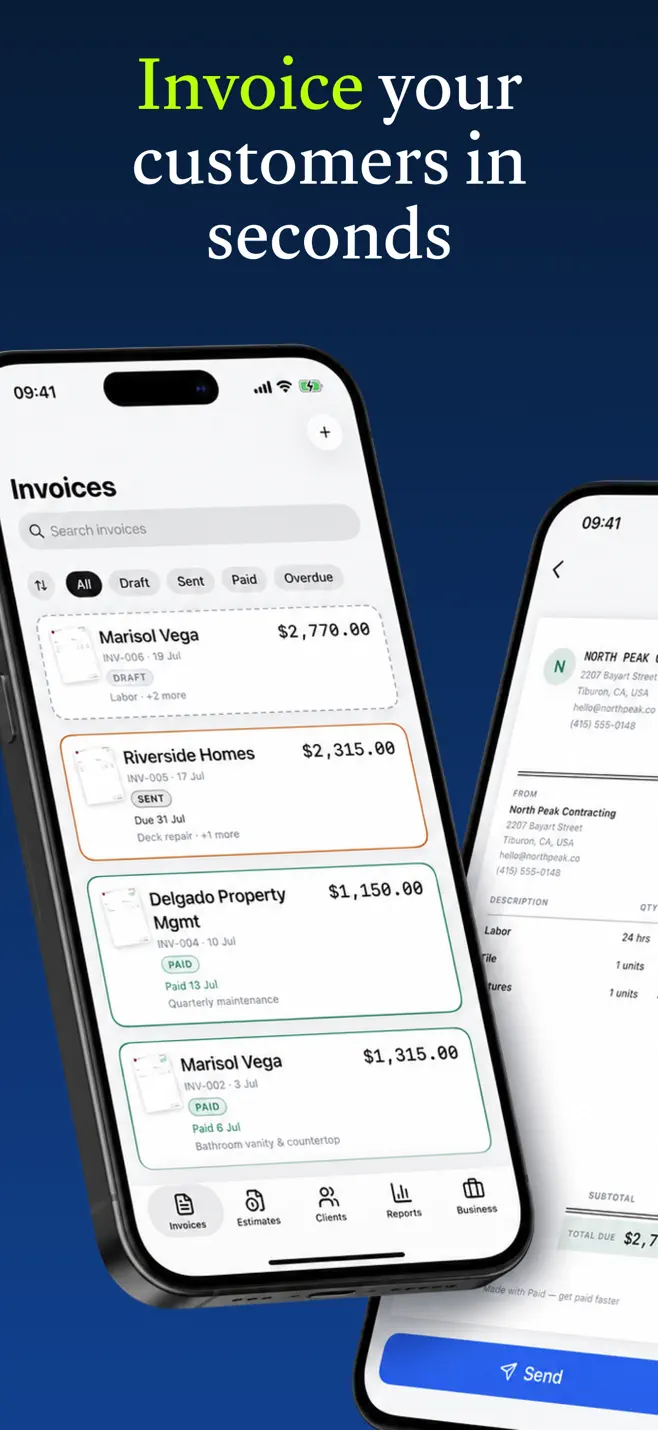
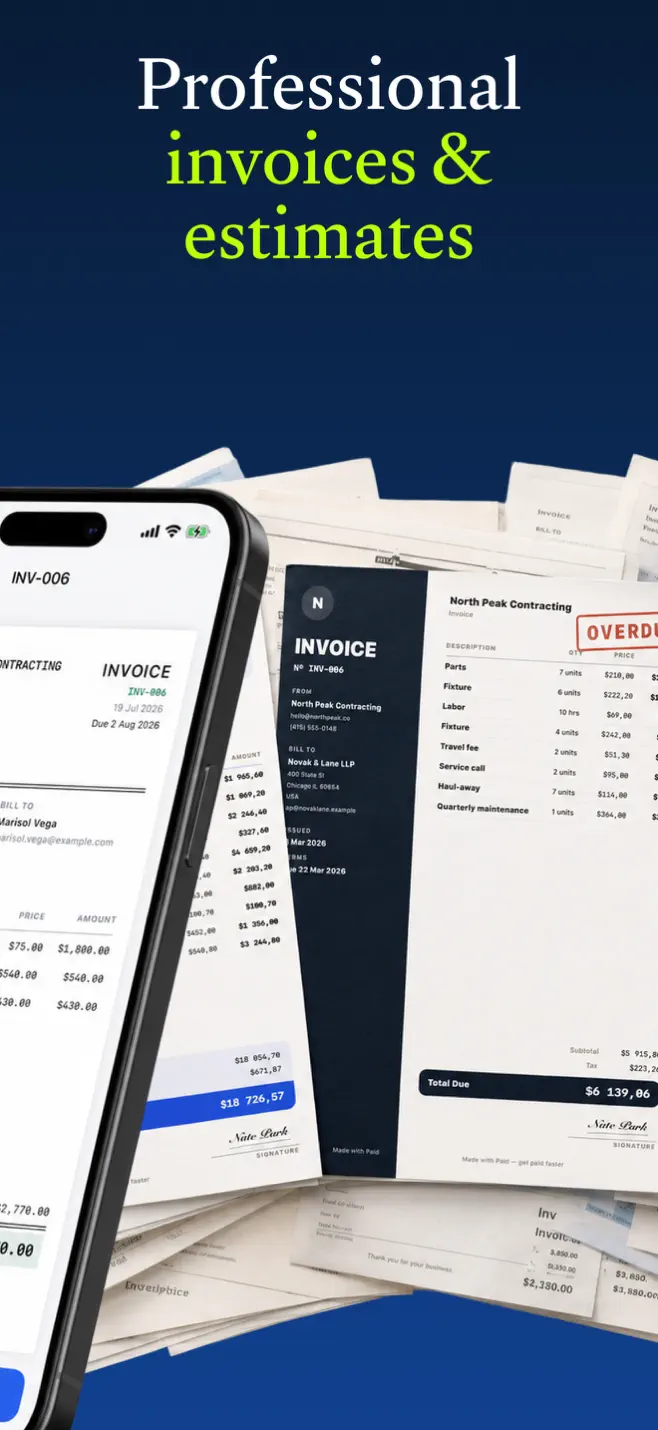
The same screens you'll use to bill a client — professional invoices and estimates, one-tap conversions, and your month in numbers.
Built for the job, not the back office.
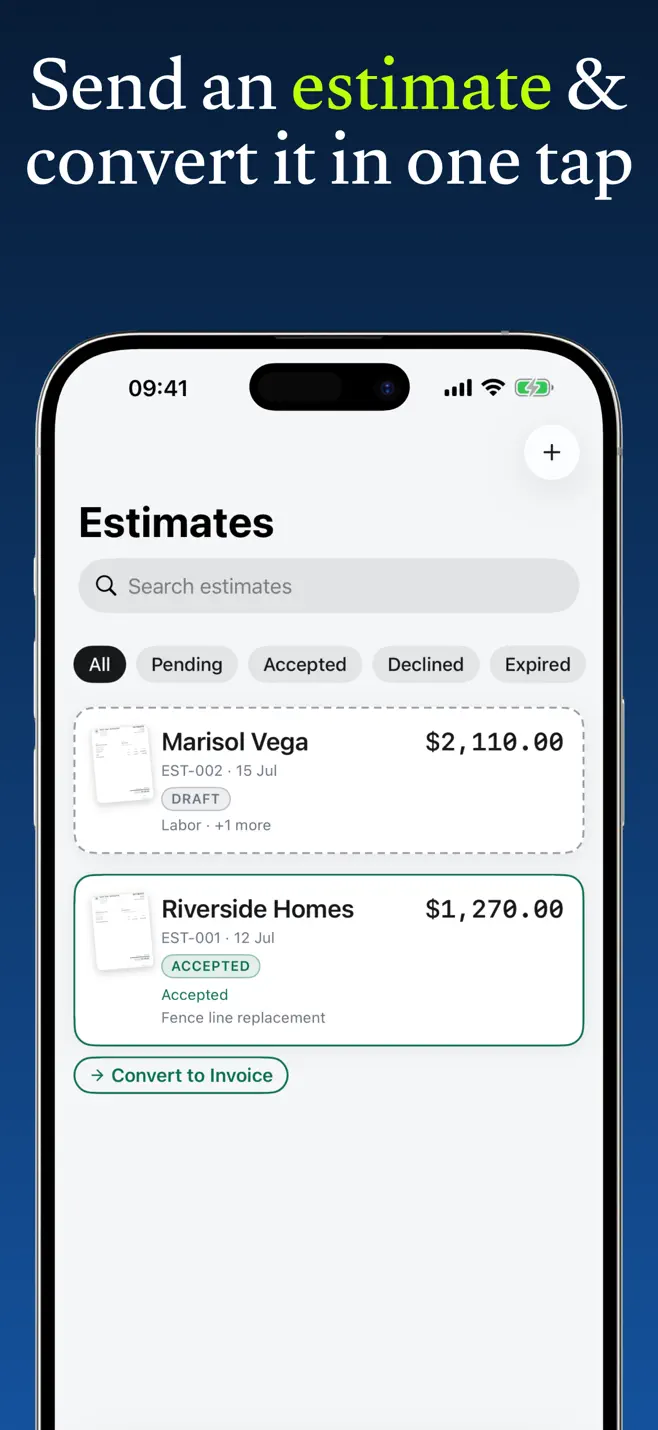
Estimate → invoice, one tap
Quote the job on the walkthrough. When the client says yes, the accepted estimate becomes an invoice in a single tap — client, line items, and terms carried over.
Invoices worth getting paid for
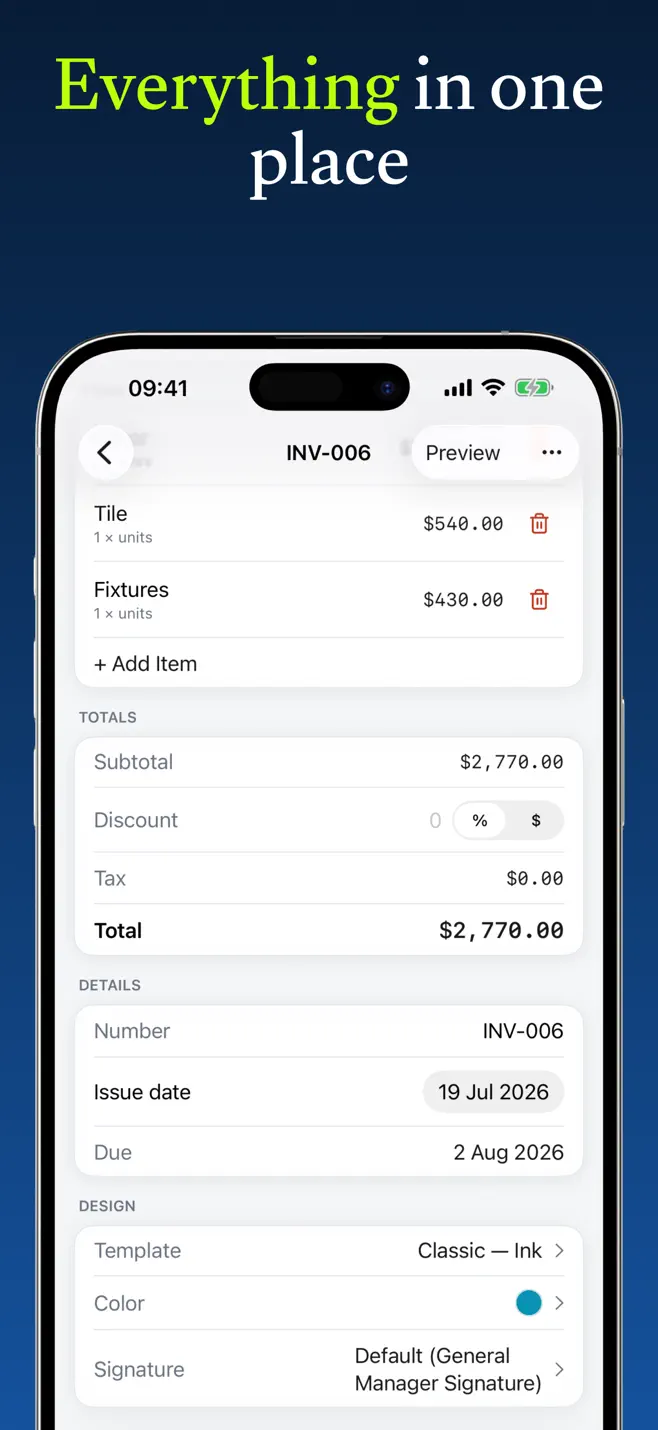
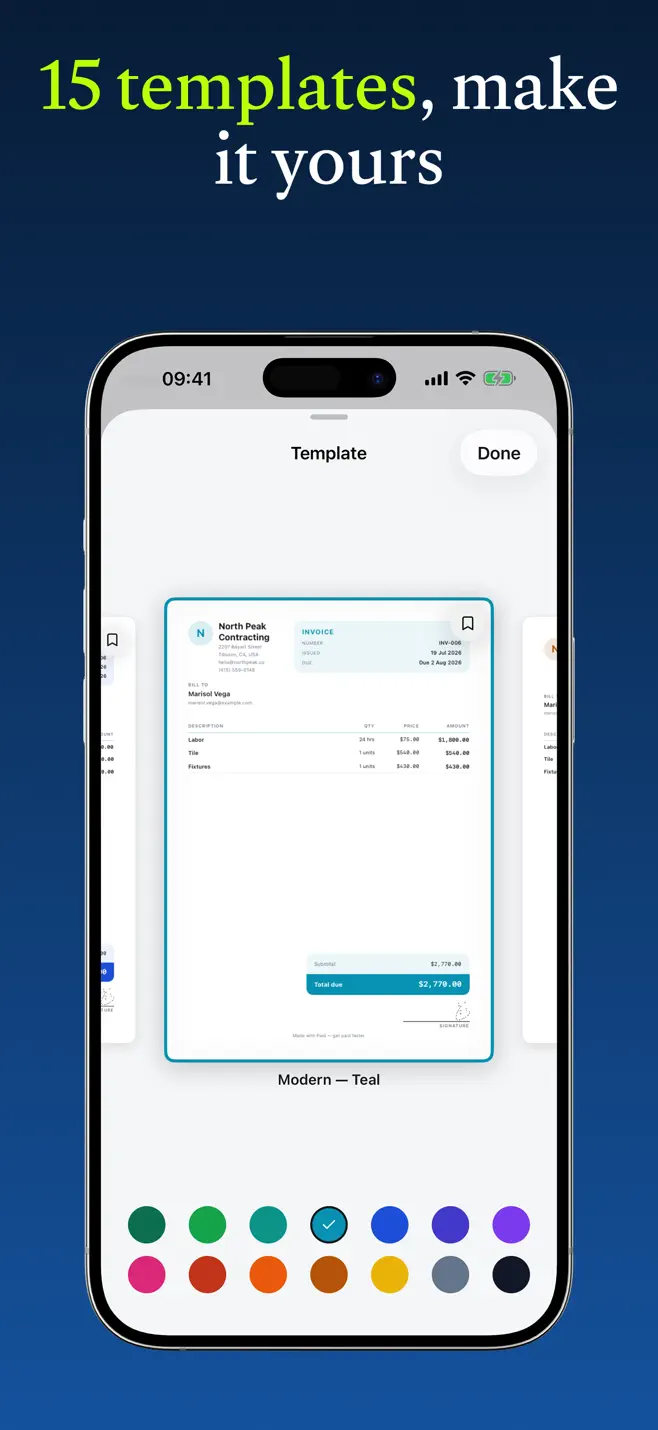
Numbered, branded PDFs with your logo and color — and no watermark stamped across the page. Fifteen templates to match your trade, plus matching receipts.
Always know what you're owed
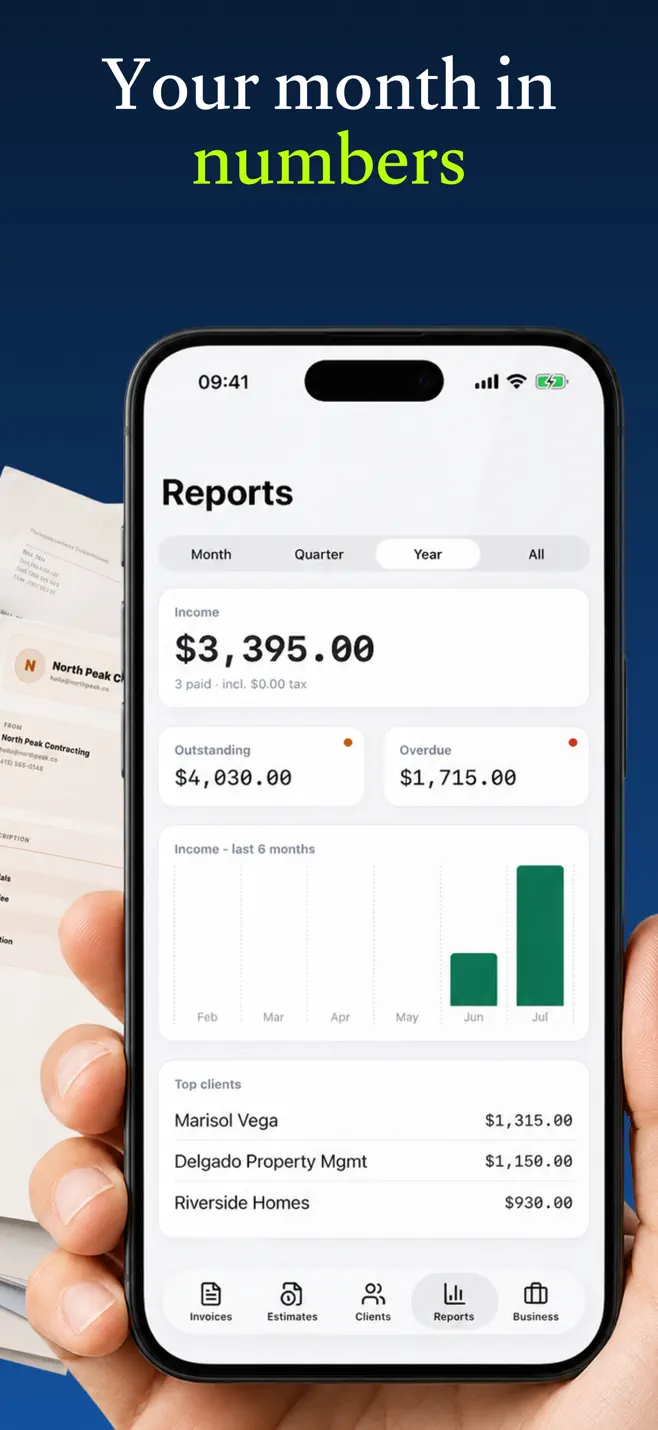
Outstanding and overdue totals sit on top of your list, and Reports turns a messy month into income, tax, and your top clients.
Start from a free template.
Grab a template built for your line of work, fill it in online, and download a clean, watermark-free PDF — no signup. When the repeat work starts, move into the app.
Cleaning
An itemized invoice for house cleaners, maid services, and janitorial pros — free to fill and download.
Plumbing
An itemized invoice for plumbers and plumbing companies — call-out fee, labor, and parts broken out, free to fill and download.
Handyman
An itemized invoice for handymen and odd-job pros billing several small tasks from one visit — free to fill and download.
Photography
An itemized invoice for wedding, portrait, and freelance photographers — free to fill and download.
UAE
An FTA-compliant tax invoice with 5% VAT and your TRN — free to fill in and download as a PDF.
United Kingdom
Sole trader and VAT invoices with the fields HMRC expects — free to fill in and download.
Templates for the trades we serve
Don't see your trade? The free generator builds any invoice — no signup.
Open the free generatorThree steps to your first invoice.
- 1
Fill it in online
Open a template or the free generator, drop in your client and line items, pick a style — nothing to install.
- 2
Download the PDF free
Get a clean, watermark-free PDF you can send from your phone or laptop today — no account, no signup.
- 3
Track and repeat in the app
Move into Paid to save the client, send estimates, mark invoices paid, and reuse everything for repeat work.
Make your next invoice the one that gets paid.
or start with a free template →
No account, no signup — invoices, estimates, and clients stay on your iPhone and sync only to your own private iCloud. Read the Privacy Policy →